
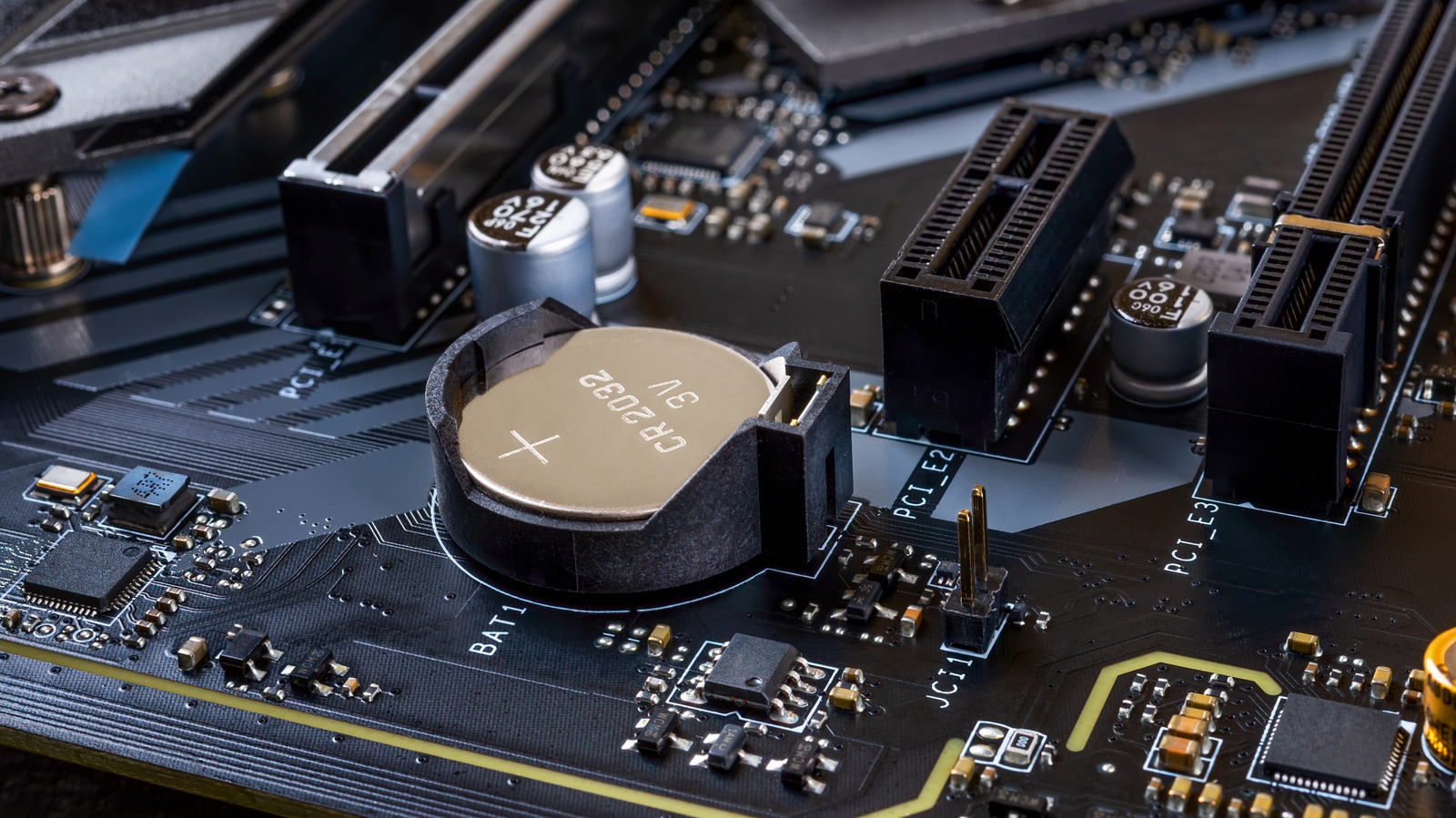
A CMOS battery powers your motherboard's real-time clock and preserves BIOS/UEFI settings when the PC is unplugged. Most desktops use a standard CR2032 coin cell — the same type in Apple AirTags — which typically lasts several years up to a decade since it only drains when the system lacks wall power.
When the battery fails, the computer loses track of time and date between boots, often resetting to January 1, 2000 or 1970. This can break HTTPS certificate validation and scramble file timestamps. The firmware will also warn on startup and revert boot order, fan curves, and other settings to defaults each session. Modern OSes may mask the issue by syncing time from the internet until the cell is completely dead.
Replacement is inexpensive and tool-free on most cases. Power down, open the side panel, locate the silver coin cell on the motherboard, release its retaining clip with a flathead screwdriver, and snap in a fresh CR2032. Laptops rarely suffer this because they use the main battery for clock retention, and their internals are seldom user-serviceable.
As a stopgap, keep the desktop in sleep mode instead of shutting down and avoid unplugging it. But a fresh coin cell costs pennies and restores full firmware persistence in minutes.
Source: Engadget · Summarized by HeadlinesBriefing