
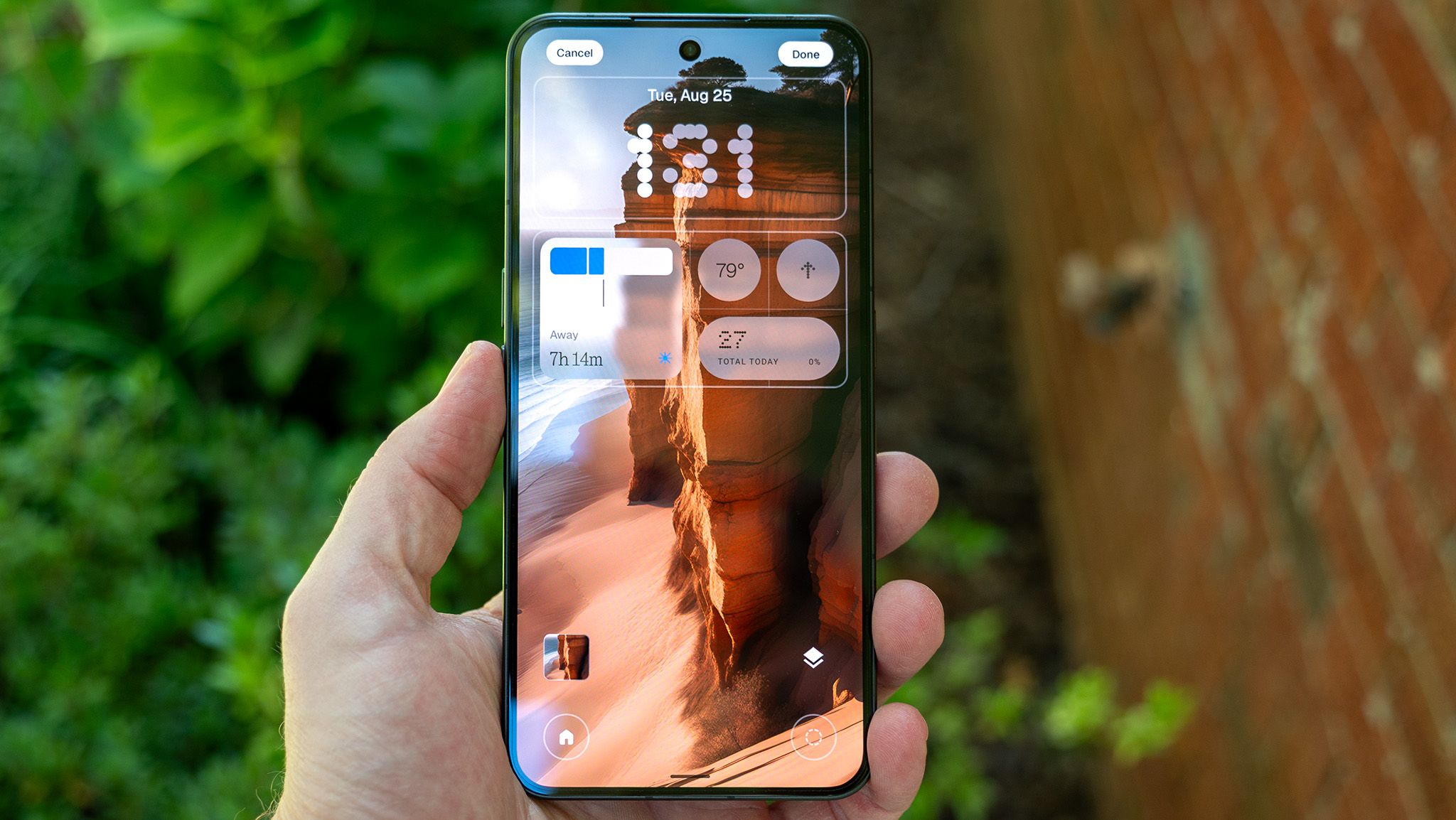
Android 17 is fresh, and Nothing is rolling out its first major update to Nothing Phone 3 customers in the open beta. Nothing OS 5 focuses on five pillars: design, personalization, performance, Essential AI tools, and Android 17. Both lock screen and home screens get a visual refresh with a new frosted glass look, which is optional.
This includes a new system-wide font, more lock screen customization with better depth effects, new clock faces, widgets, and wallpaper-adaptive colors. A highlight is the new "Away Time" widget, which visualizes daily phone usage via a timeline. Quick Settings can now be split, and Glyph Timers can be started from new home or lock screen widgets.
Bluetooth controls have been simplified with additional Quick Toggle controls. Essential Apps now ships on OS 5, allowing users to vibe code widgets directly from their phone. The Glyph interface gets its own app for customization and Glyph Toys.
A new AI privacy indicator adds a yellow status bar icon when AI processes data, helping identify when data leaves the phone. Essential Voice received a speed boost for faster voice processing. The Essential Key now supports accidental-press prevention and function switching between translate and transcribe.
New options for Essential Space include Smart Collections and a Model Context Protocol for compatible AI platforms. Additional Android 17 upgrades include updated 3D emoji and Quick Share improvements. The new homescreen design and Micrographics clock face will debut in the October general release, but other features are available now via the beta.
Source: Android Central · Summarized by HeadlinesBriefing