
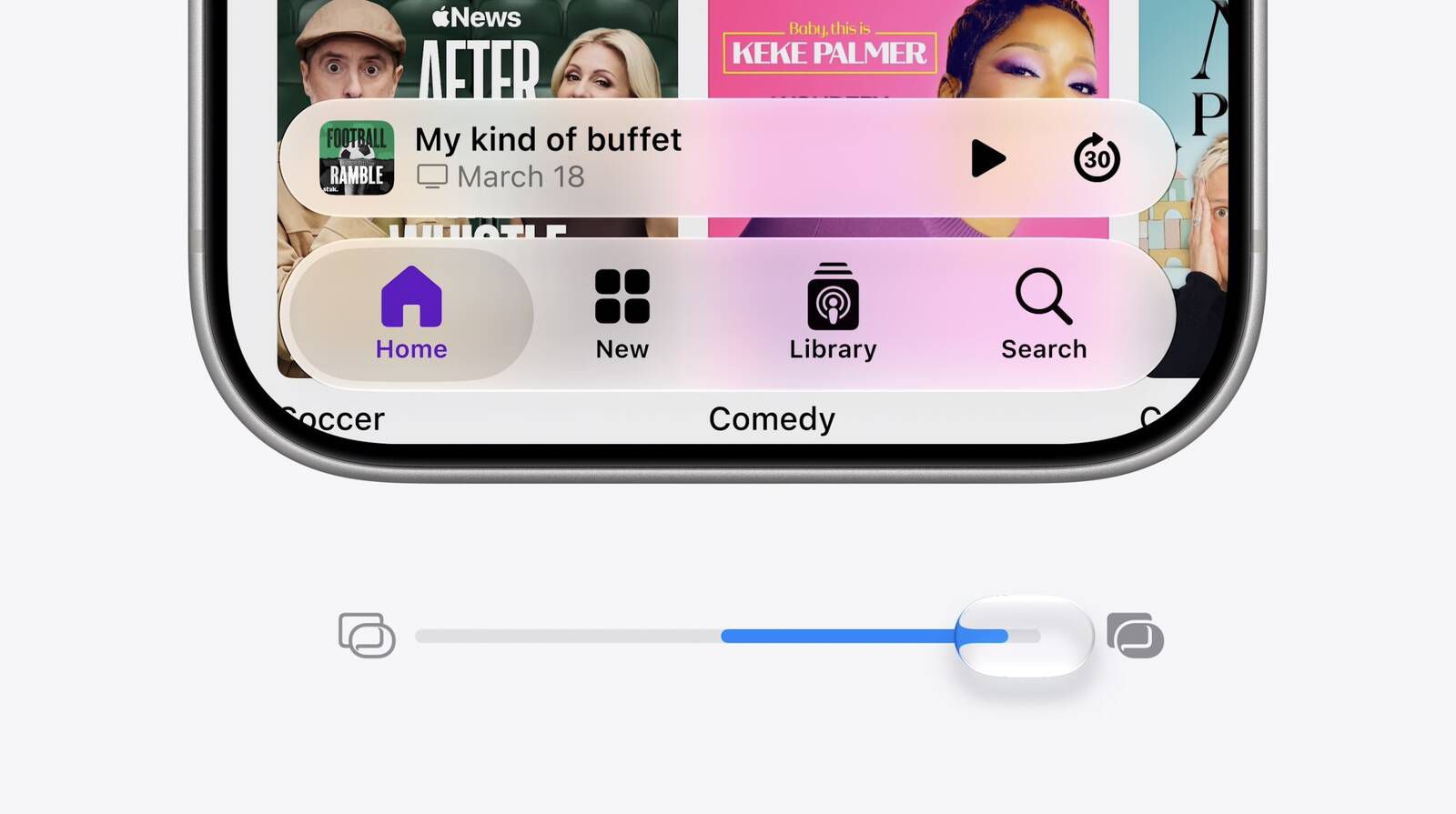
iOS 27 introduces a new setting allowing users to finely adjust the translucency of the "Liquid Glass" interface effect, previously introduced in iOS 26. Users can now control the level of transparency with a continuous slider, ranging from nearly clear to heavily frosted, offering more customization over the iPhone's look and feel.
The new "Appearance" section in Settings consolidates interface options, including the Liquid Glass control, Light and Dark mode, and text size. Apple has also refined the default Liquid Glass appearance in iOS 27 for better content diffusion and layer separation.
To adjust the effect, navigate to Settings > Appearance > Liquid Glass and use the slider. For further reduction in translucency, Accessibility options like "Reduce Transparency" and "Increase Contrast" are available. These adjustments extend to iPadOS 27 and macOS 27 Golden Gate, with public betas available and a general release anticipated in September.
Source: MacRumors · Summarized by HeadlinesBriefing