
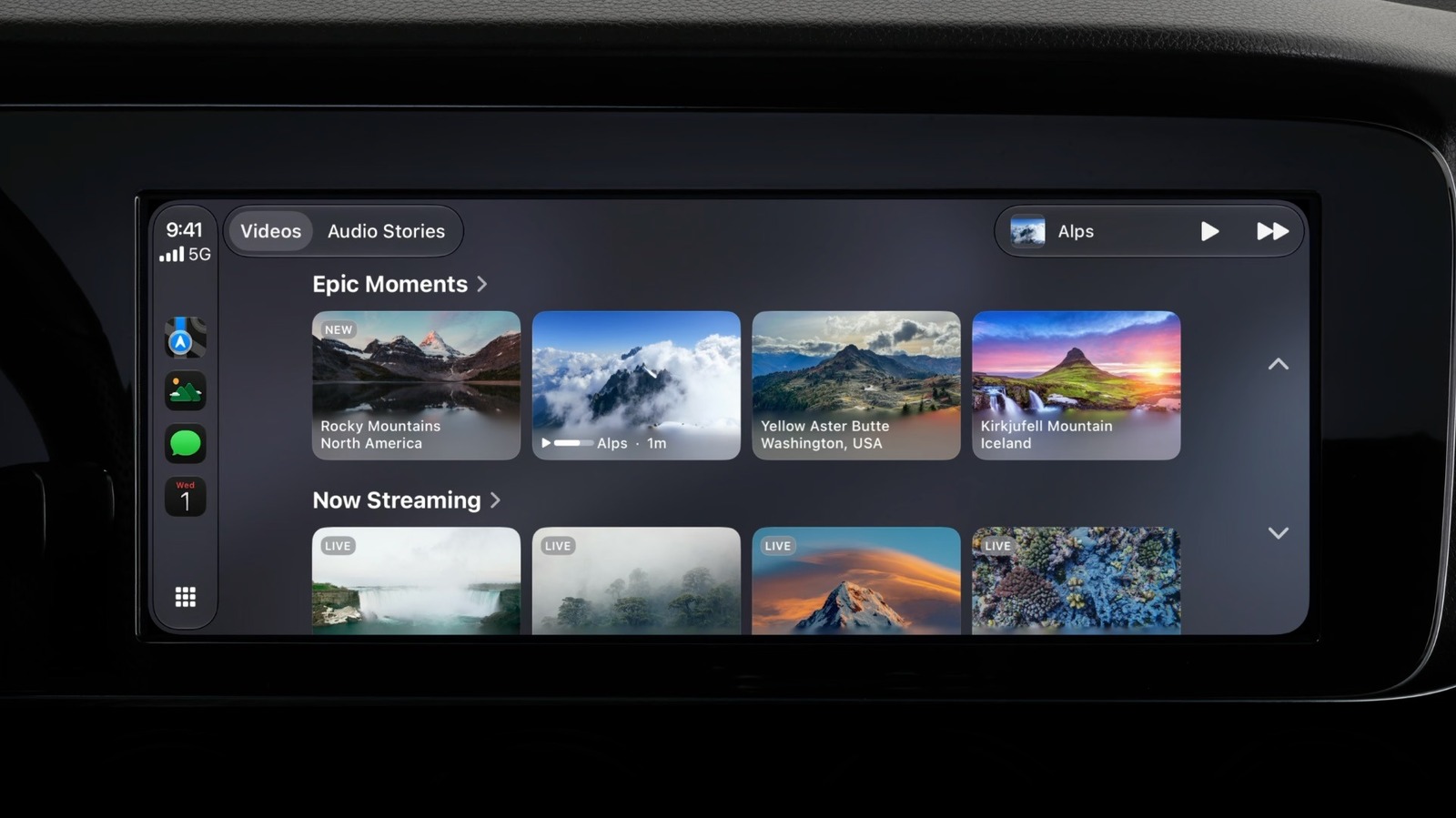
Watching videos on Apple CarPlay takes the right apps and a compatible car. CarPlay mainly supports audio, messaging and navigation apps, but with iOS 27 users can finally watch videos while parked. Not every video app supports CarPlay yet, and popular services like YouTube and Netflix don't support it natively. Even when an app is supported, the feature only works in vehicles with "video-in-car" technology that lets CarPlay detect when the car is stopped. Apple does not publish a list of compatible vehicles, so drivers will need to check for themselves.
If you have a compatible app, open it from the CarPlay Home Screen and browse the catalog directly. When you start driving, CarPlay switches to audio-only mode. You can also use AirPlay to stream a video from your iPhone or iPad to the dashboard, even if the app lacks native CarPlay support. Open an AirPlay-compatible app such as YouTube, start a video, tap the AirPlay button and choose CarPlay. Make sure the car is parked, or the video won't play.
If videos still won't play, your car may not support the feature. Automakers must add support, and many older dashboards never will. CarPlay screens must be at least 1,920 x 1,080 pixels, support the HEVC codec and have at least 4GB of memory. AirPlay to CarPlay requires iOS 26.4 or later, and native video apps require iOS 27, which is available for iPhone 11 and later. Check for updates under Settings, General, then Software Update.
For incompatible cars, Android-based "AI boxes" from brands like Carlinkit and Ottocast can run video apps without jailbreaking the iPhone. These devices also bypass the parked-only restriction, and watching video while driving can be distracting.
Source: Engadget · Summarized by HeadlinesBriefing