
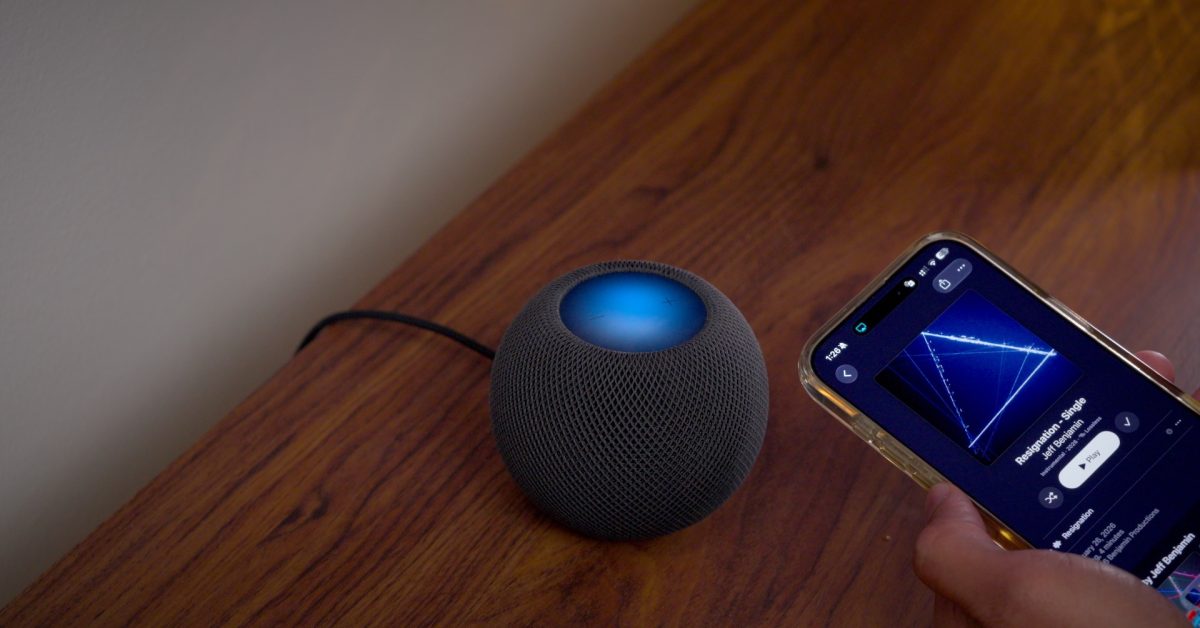
In this episode of iOS Decoded, 9to5Mac takes the HomePod's new Sound Glow feature for a test drive and tries out Lock Controls, which prevents accidental activation of the top cap. The team also goes hands-on with other changes, including the new profiles option in the TV app and Suggested Actions for Messages. In addition, they look at and listen to assets and sounds from Apple TV's new surround-sound Home Theater functionality.
Starting with iOS 27.2, the HomePod mini and second-generation HomePod use their LED Matrix displays, which feature 19 and 37 RGB LEDs respectively, in a new way. Sound Glow turns the top cap into a color-matched, animated visual canvas that matches album artwork. The display glows and pulses with the currently playing song or podcast, responding to changes in bass and treble. For Soundscape ambient sounds such as rain, forest or fireplace, bespoke RGB animations are used instead.
Users who have updated their iOS devices and HomePods to 27.2 will find a Sound Glow toggle in the Home app under HomePod settings. The reviewer found the feature vibrant but not especially bright, giving each song a slightly unique look. Sound Glow also works with the first-generation HomePod mini and the second-generation full-sized HomePod, not just new hardware.
Lock Controls is another HomePod feature in iOS 27.2. It disables touch, touch-and-hold and volume controls on the touch surface, and touching the locked top cap shows a red animation that shakes back and forth, as if saying "no." Watch the full hands-on video for these changes and more.
Source: 9to5Mac · Summarized by HeadlinesBriefing