
Published on: 2026-09-11 12:36:14 by Chris Jones Updated on: 2026-10-05 20:15:16 • 7 min read
tl;dr Add this to your /etc/hosts file on your old Mac running Leopard or Show Leopard (has not been tested on Tiger or Panther), and i Chat should be able to make audio and video calls again. This assumes your router does port-preserving NAT (most do).157.230.2.213 configuration.apple.com Do note that if you are on a BSD based router like pf Sense or OPNsense, you will need to enable source port preservation in your outbound NAT settings.
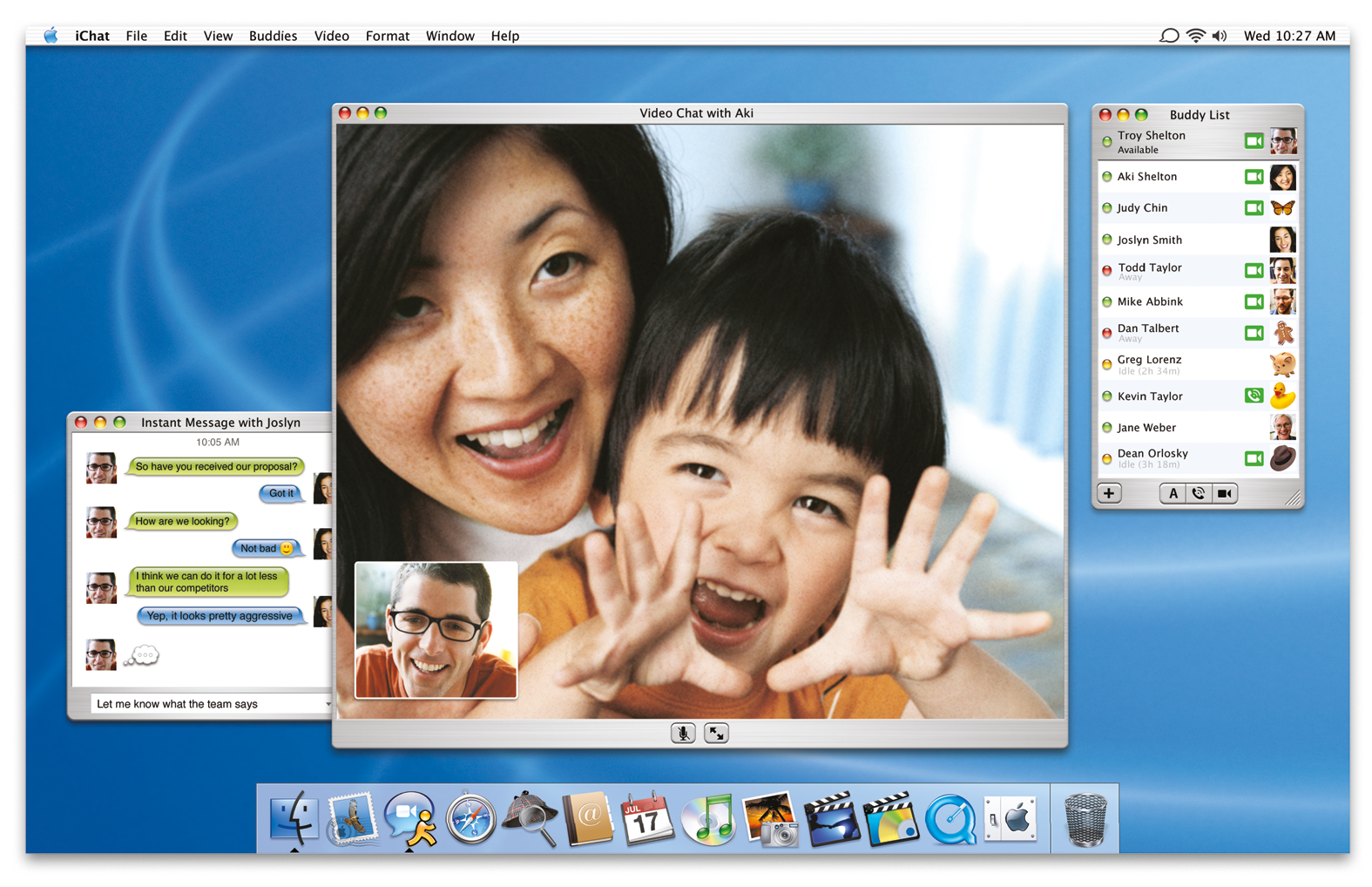
i Chat AV and The i Sight I used to be the most annoying kind of Apple zealot. In the early 2000s, I thought everything Apple had was better than anything else out there whether it was true or not. There was one place that it was true, however, and that was in the realm of video and audio conferencing in the early 2000s.The big players for consumer level video conferencing at the time were Microsoft with MSN Messenger, Yahoo! with Yahoo! Messenger, and AOL with AOL Instant Messenger (AIM). Then at Apple's World Wide Developer Conference (WWDC) in June of 2003, along with the G5 processor and OS X 10.3 panther, Apple announced "i Chat AV".They also announced this gorgeous over-engineered webcam to go along with it called the "i Sight".I actually had a G4 laptop and an i Sight. It felt like living in the future and I loved it. This post is about how I got i Chat's video conferencing on early OS X working over the Internet again to relive some of that fun.
The First Attempt In early 2023, my friend (will be referred to as "Methodius") and I decided to just try it and see what would happen. We tried to test a simple i Chat audio call on OS X Leopard. That version of i Chat works with XMPP (Jabber) servers, so we each set it up with an account on jabb.im, and pressed the green call button. It rang for the other party, it said it was trying to connect, and then...failed to connect. It's never that easy.
i Chat Debugging and Inspecting The Network Time to do some traffic inspection with tcpdump. Thankfully, that comes pre-installed on OS X from back then so I didn't have to install anything extra. Along with the packet inspection, I also ran i Chat in debug mode by launching it in the terminal like this:/Applications/i Chat.app/contents/Mac OS/i Chat -error Log Level 7i Chat's debug mode was very helpful and barely documented anywhere, so now it lives here if I ever need to look it up again. What's Supposed to Happened i Chat makes an http request to http://configuration.apple.com/configurations/macosx/ichat/1/snatmap.txt to get the address of an SNATMAP server.i Chat makes a UDP request to that SNATMAP server to get its own public IP address.i Chat on both ends then exchanges their public IPs and ports via their text communication channel (XMPP in our case).i Chat on both ends then attempts to set up a peer-to-peer RTP connection by blasting packets to each over over the public IPs and ports previously discovered via the SNATMAP server. Since NAT connections are stateful, and outbound NAT connections open an inbound connection to the machine making the request, i Chat behind NAT routers are able to connect with each other without the need to set up NAT port forwarding ahead of time. What Actually Happened i Chat attempted to make an http request to http://configuration.apple.com/configurations/macosx/ichat/1/snatmap.txt but got redirected to https which it could not connect to because OS X's TLS suite is too old.i Chat failed to complete that request, so instead of exchanging our public IPs, they exchanged private LAN IPs instead, which obviously failed to connect over NAT.The https URL is still up at the time of writing this, however, and actually contains something!snatmap://snatmap.apple.com:5678 OK, NP. I set up my own simple web server, hosted that file myself, update OS X's /etc/hosts file to point configuration.apple.com to an IP of my choosing. Ran it and...still nothing. Apple's SNATMAP server...
FAQ Q: How can iChat Audio and Video Conferencing be resurrected on old Macs?
FAQ A: Add 157.230.2.213 configuration.apple.com to your /etc/hosts file on Leopard or Show Leopard. Note BSD-based routers like pfSense or OPNsense require source port preservation in outbound NAT settings.
Fuente: Hacker News · Resumido por HeadlinesBriefing