
Over the last few weeks, I worked on a map of various game dev techniques for people to refer to and learn from. Like a real map! With each town being a technique's home, provided with a concise, illustrated example. And here we are.
Today we are diving into the making of The Game Dev Atlas. That's so 1570, bro. If you want to pull off a cohesive art direction, you need to spend most of your time learning about your reference materials.
No C code, no IDE, no sub-agents doing things. Just explore and wander on Google Images, Wikipedia, and online museum galleries. My moodboard canvas filled with references from real historical sources.
Gather things, ideas, and visuals! You should feel the inspiration inflating your mind, and the first scraps of decisions starting to flow through your head, like: I want a bit of that, none of that, this thing specifically for that part etc. That is the whole work: what do you want? It's on you to set the quality bar and how things should be. If you don't already know, typography conveys most of the design weight. That's just it.
Example: after some research I stumbled on that Luminari font that was a great fit for what I wanted my map to look like. It is a paid font, and there were plenty of free alternatives, but not quite as right as the Luminari font. Instead of saying "that's ok, this free one is the same vibe", I just paid for the font I found just right.
Never concede terrain on your instinct! Plain Mess it up a bit Final Luminari, by Canada Type. Illuminated initials The Game Dev Atlas by Sprite Fusion Effects. Act I Procedural VFX Act I, fig. 14 A frost nova and a plasma orb.
Each is one function call. Instead of drawn sprite sheets for your effects, try building VFX via code! For pixel art it is super powerful and once you nail a workflow, it is also super cheap to produce. You can then tweak color, animation parameters, etc. A finished technique page, everything together A real island.
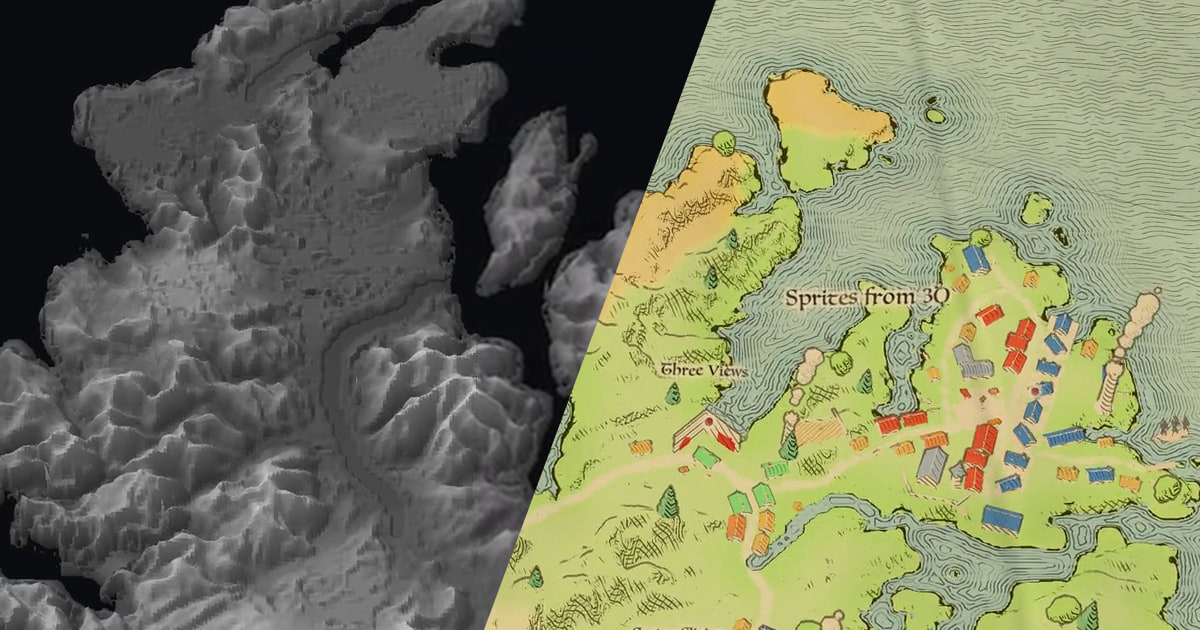
Claude, please generate a procedural terr... Just pick an existing, real island. Nowadays we do have precise elevation data for most islands on Earth.
If you want a realistic island, well, pick a real one. Kerguelen, from space (NASA Earth Observatory, 28 October 2016) and as elevation data (Terrain Tiles on AWS, Mapzen). Elevation data Engraving in real time.
An engraving of "The Battle of Austerlitz" I own (that's how I spend my money btw) was great inspiration. The plate, then the colour. Some styles and colourings I've tried (click on the tabs to compare): Don't be perfect! Add some imperfections, color blends, etc. Nothing is perfect in real life, and having an eye for imperfections is what makes things look interesting.
Making towns interesting. The point of the atlas is to showcase game dev techniques, one per town. So I decided two things: First, I wanted small visual touches on each town's shape reflecting the technique it's about.
For instance, the Procedural Legs town shows a crawling house. Second, I wanted organic town buildings, so I built a small procedural building system to add diversity to buildings. Risky move: I'm a big fan of Houdini, so I could have thrown away the whole thing, and this blog post would be titled "I'm making Houdini, but running in the browser".
Anyway, here's what my small system can build: 60fps on the web. The map application itself is written in C using the Kaigen engine as a headless C lib. I'm a Rust guy, but I must admit the compile time freaks me out for game dev with Rust.
It took me several iterations to reach smooth 60fps in the browser, especially with the night mode (try it!). But I'm finally happy with how it runs right now, while I'm still tweaking things atm. The night mode, try it LODs implemented for the terrain mesh The web app is written in Svelte, because I like Svelte.
So the shallow routing and anything UI happen as part of the Svelte Kit app. Conclusion It was a very fu...
Source: Hacker News · Summarized by HeadlinesBriefing