
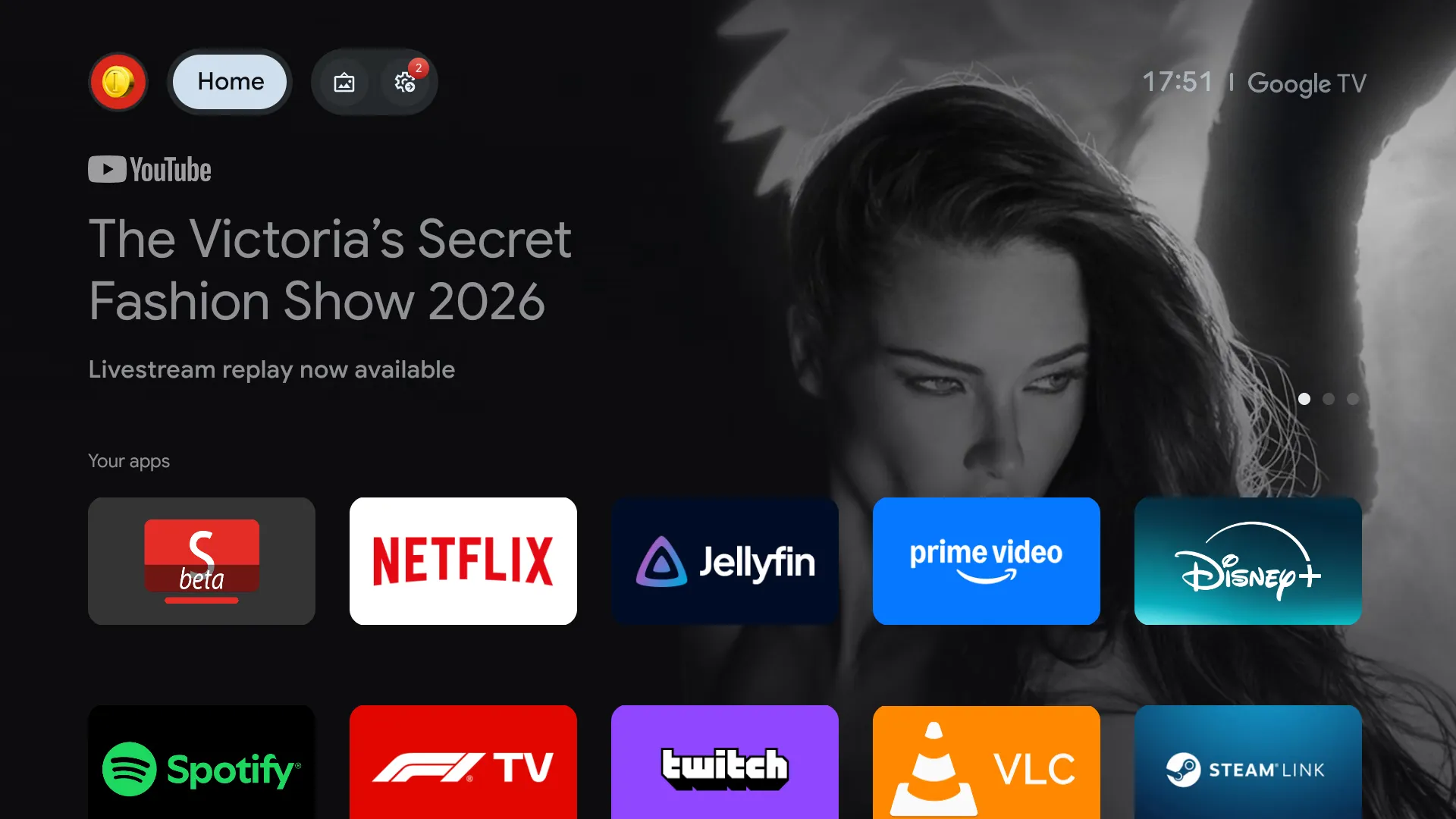
I like Android TV for its app compatibility, affordability on Chromecast, and built-in TV integration, but dislike ads in Google TV’s interface. Even in Apps only mode, the promotional banner remains, and YouTube adds its own ads. To eliminate ads, I use Projectivy Launcher to replace the home screen, showing only apps with full customization.
Smart Tube replaces the YouTube app with no ads, a better interface, and Sponsor Block integration. I still use YouTube Premium to support creators but prefer Smart Tube. Wholphin serves as my Jellyfin client for its UI and customization, and Button Mapper remaps the remote so the YouTube button opens Smart Tube.
This setup works on Chromecasts with Google TV and Hisense TVs, and should function on most Android TV devices. Setup requires enabling Developer options and Wireless debugging (or USB debugging as fallback), then using ADB commands to disable the stock launcher, install Projectivy as the home app, uninstall the YouTube app, and configure accessibility services for Button Mapper and Projectivy. The process includes granting WRITE_SECURE_SETTINGS and whitelisting from battery optimization.
An AI agent like Claude Code can guide users through the ADB steps and adapt commands to their device.
Source: Hacker News · Summarized by HeadlinesBriefing