
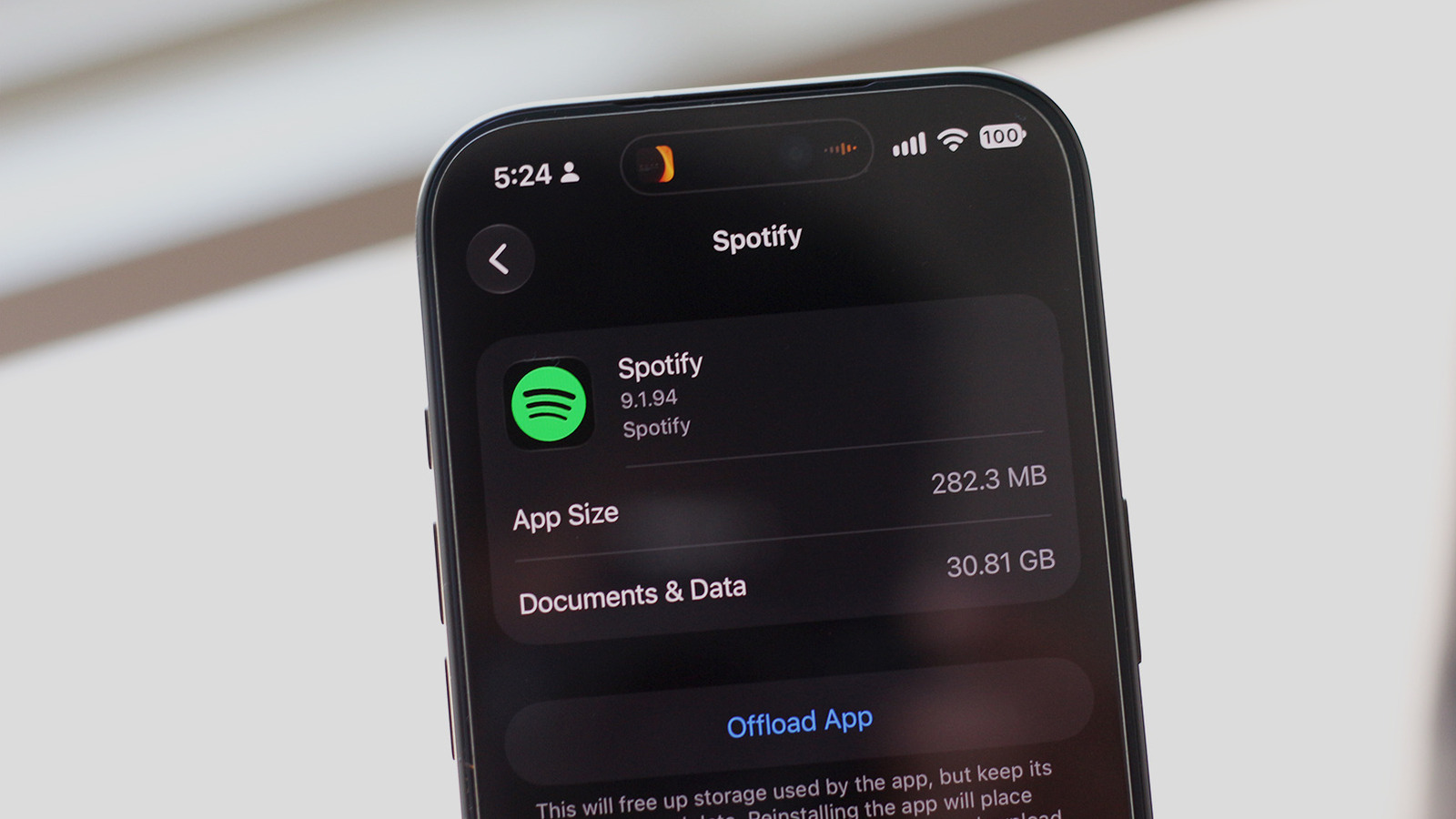
If you're running low on storage, it's worth checking if Spotify is the culprit. Adnan Ahmed for Engadget We're all getting tired of subscription-based services, but when it comes to music streaming, it's harder to give up. You can still purchase individual tracks, but it's often more economical to subscribe to Spotify if you listen to a wide variety of music.
With fast mobile data, you can stream virtually any song on the go, saving space compared to managing a local library. If you've hit the low-storage warning, check what's taking up space. On iOS, navigate to Settings > General > iPhone Storage.
On Android, labels vary; for Samsung, look under Settings > Device care > Storage. Your phone might sort apps by storage usage. If Spotify is near the top, downloaded music or cached data is likely the cause.
Android lets you clear an app's cache in a few taps via Settings > Apps > See all apps > Spotify > Storage & cache. While you can nuke your entire offline library with Clear storage, this signs you out. Instead, in the Spotify app, navigate to Your Library and tap Downloaded at the top.
Here, you can pick individual playlists or albums and tap the green download button to remove them. To reclaim maximum storage, tap your profile picture, go to Settings and privacy > Data-saving and offline, and tap Remove next to Remove all downloads. You can also clear Spotify's cache here.
Other services like Apple Music and Netflix also let you remove downloads via their settings. If you use Spotify on Windows or macOS, click your profile picture, go to Settings, scroll to Storage, and click Remove all downloads. Web users need not worry, as the browser version doesn't support offline listening.
Adjusting download quality to Low frees space; Spotify says Low quality tracks are equivalent to around 24 kbps.
Source: Engadget · Summarized by HeadlinesBriefing