
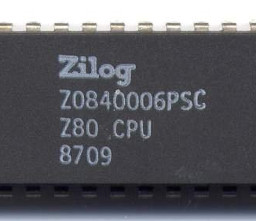
Using z80pack Z80 emulator to run CP/M on Linux, I demonstrate how to play Zork 1 as a proof‑of‑concept. Zork is an early text‑adventure game that accepts simple commands like “take axe” and “look at box”. Although there is no practical reason to run Zork via a CP/M emulator, it provides a hands‑on way to explore the historic OS and build a retro Z80 system.
The process starts by downloading and building z80pack from source, compiling the CP/M simulator and supporting tools, and testing the cpm3 script. Next, install cpmtools to manage disk images; create a virtual floppy (default 720k B, 8‑inch) in the `./disks` folder, copy the Zork 1 file into it, and launch the game from the CP/M prompt. I also show how to set up a hard‑disk image for future projects.
Because Fedora 31 users may encounter issues with packaged versions of cpmtools, building from source is recommended. The article notes that CP/M, originally for 8080 microprocessors and later popular on the Z80, lives on through MS‑DOS. Running Zork via CP/M is mainly an educational exercise for retro‑computing enthusiasts.
In summary, the guide walks you through obtaining, compiling, and configuring z80pack, creating disk images, installing cpmtools, and executing Zork 1 on a CP/M emulator—perfect for anyone wanting to understand early operating systems and text‑based interactive fiction.
Source: Hacker News · Summarized by HeadlinesBriefing