
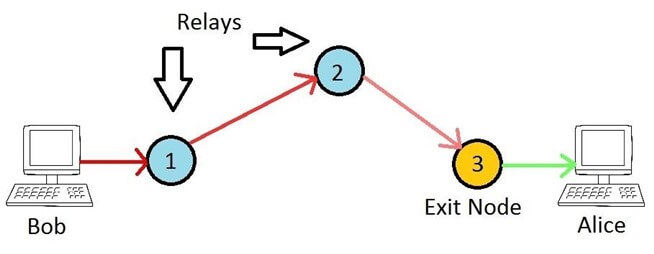
This is a quick tutorial on configuring an Exit Node for the Tor Network. Exit nodes are essential for bridging Tor with the 'clear net', allowing users with ISP filtering or privacy concerns to access the Internet. Unlike bridges, exit nodes are publicly known devices, making the final connection on behalf of anonymous clients. The Tor network is short of exit nodes because operators face risks, as their IP is visible and they may be blamed for users' actions.
Running an exit node from home can be dangerous due to potential harassment from ISPs, though it is not illegal. Operators have no control over what Tor users do, but they can stay calm knowing they've done nothing wrong. Some websites block exit nodes or require Captchas, such as Cloudflare CDN and Google.
Assuming a Linux machine (Ubuntu 14.04) behind a standard router, install tor and tor-arm by adding the Tor repos and GPG keys. Then install tor, tor-arm, curl, vnstat, nginx, and socat. Replace the /etc/tor/torrc file with a basic relay configuration, setting your email and bandwidth rates.
Use socat to redirect port 443 traffic to localhost 9001, as Tor doesn't run as root and can't bind to port 443 directly. This allows the relay to accept incoming connections on a common port. The sample config includes an exit policy accepting ports 20-23 and rejecting all others.
Source: Hacker News · Summarized by HeadlinesBriefing