
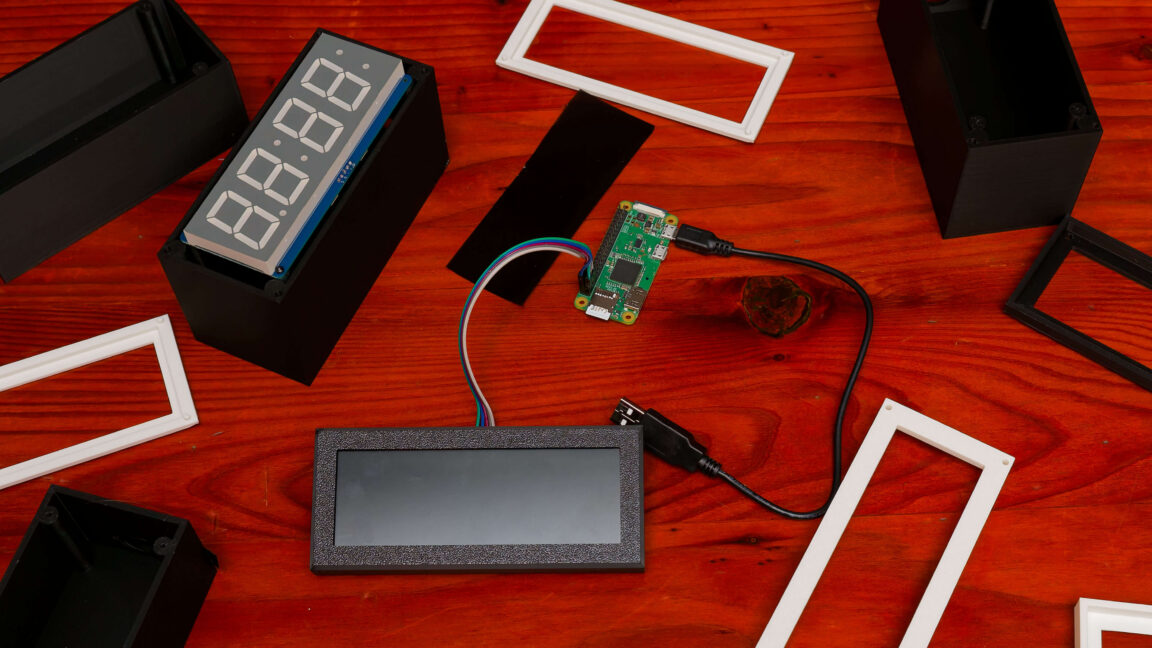
I wanted a clock that never needed setting. Since childhood my bedside clocks have been cheap red LED radios that require manual DST changes. After a power flicker I realized we’re in a century where a self‑setting clock should exist.
I built one using a Raspberry Pi Zero W and an Adafruit 1.2‑inch seven‑segment display. The Pi gives a Debian OS, Wi‑Fi, and NTP for automatic time sync, while the display shows the exact sub‑second time on a red face I love. I soldered the display to Cymark’s HT16K33 backpack with a beginner‑solder kit and found a ready‑made 3D‑printed case that fits.
Software requirements wereimmons: LAN‑only host, apt mirror, NTP, unprivileged systemd service, schedule‑based dimming, HomeKit control. Most were straightforward, but the I2C display driver and HomeKit integration pushed me to use an LLM. Claude’s Code produced clean Python files, a test suite, and even the HomeKit bridge script.
The finished repo includes BOM, software, and 3D files—ready to deploy on any Pi Zero for a fully self‑setting, privacy‑preserving bedside clock.
Source: Ars Technica · Summarized by HeadlinesBriefing