
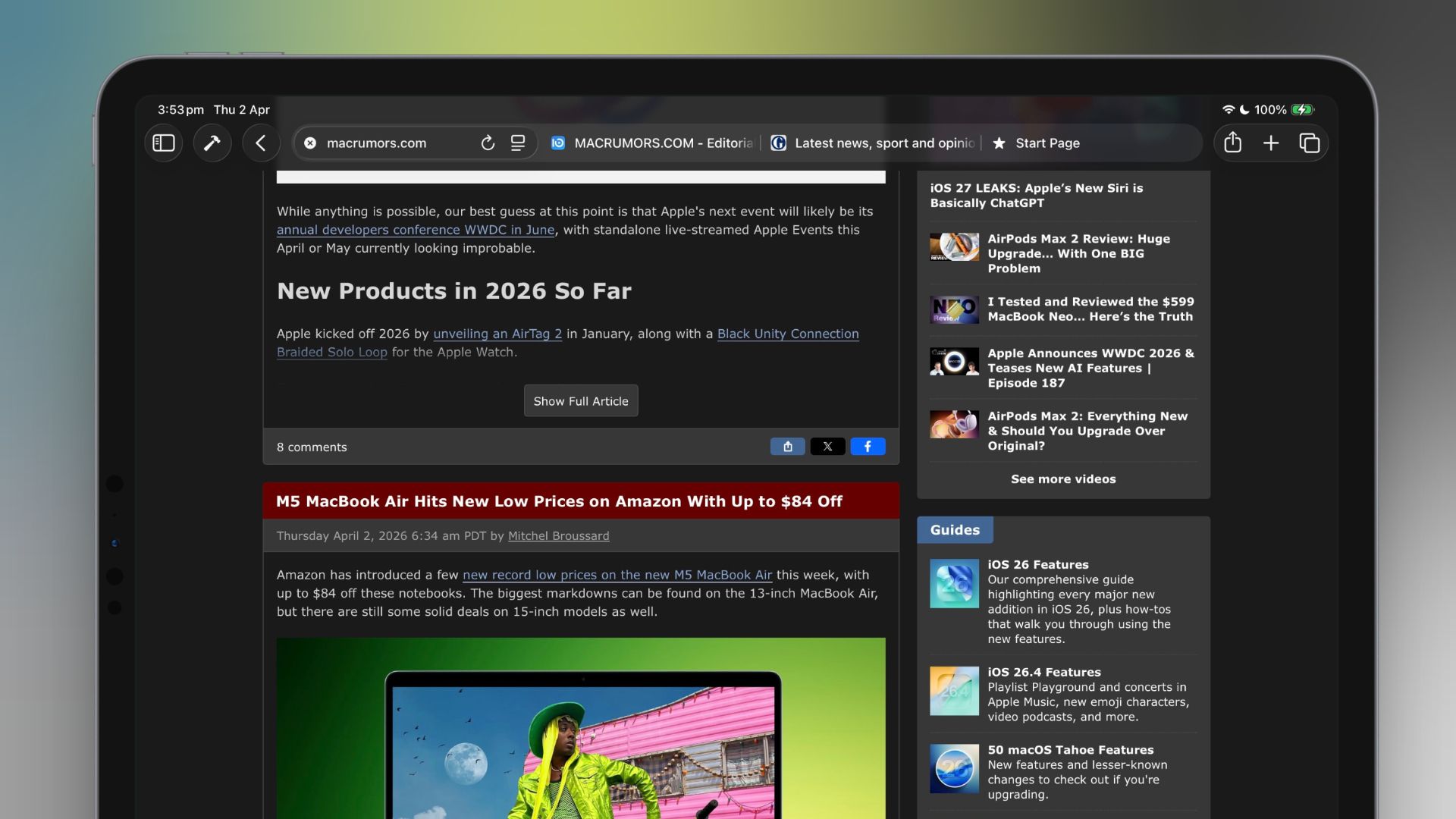
Safari's Compact Tab Bar returns in macOS 26.4 and iPadOS 26.4, offering users a space-efficient alternative to the default Separate layout. The feature merges the address bar and tab bar into a single row, optimizing vertical screen space on devices like the MacBook Air and iPad mini.
To enable it on Mac, users open Safari, navigate to Settings > Tabs, and select Compact under Tabs Layout. On iPad, the process involves tapping Compact Tab Bar in Safari settings. Both platforms allow switching back to the standard layout via the same menus, giving users flexibility based on their workflow.
The reintroduction addresses feedback from power users who relied on the Compact layout for multitasking on smaller screens. However, Apple warns that tab titles truncate more aggressively in this view, requiring reliance on favicons for identification when managing multiple tabs. This trade-off prioritizes screen real estate over textual clarity.
The update reflects Apple's ongoing effort to balance efficiency and usability in Safari. While the Compact layout isn't ideal for all users, its return highlights the company's responsiveness to niche but passionate user preferences. Prospective adopters should weigh the space benefits against the learning curve for tab navigation.
Source: MacRumors · Summarized by HeadlinesBriefing