
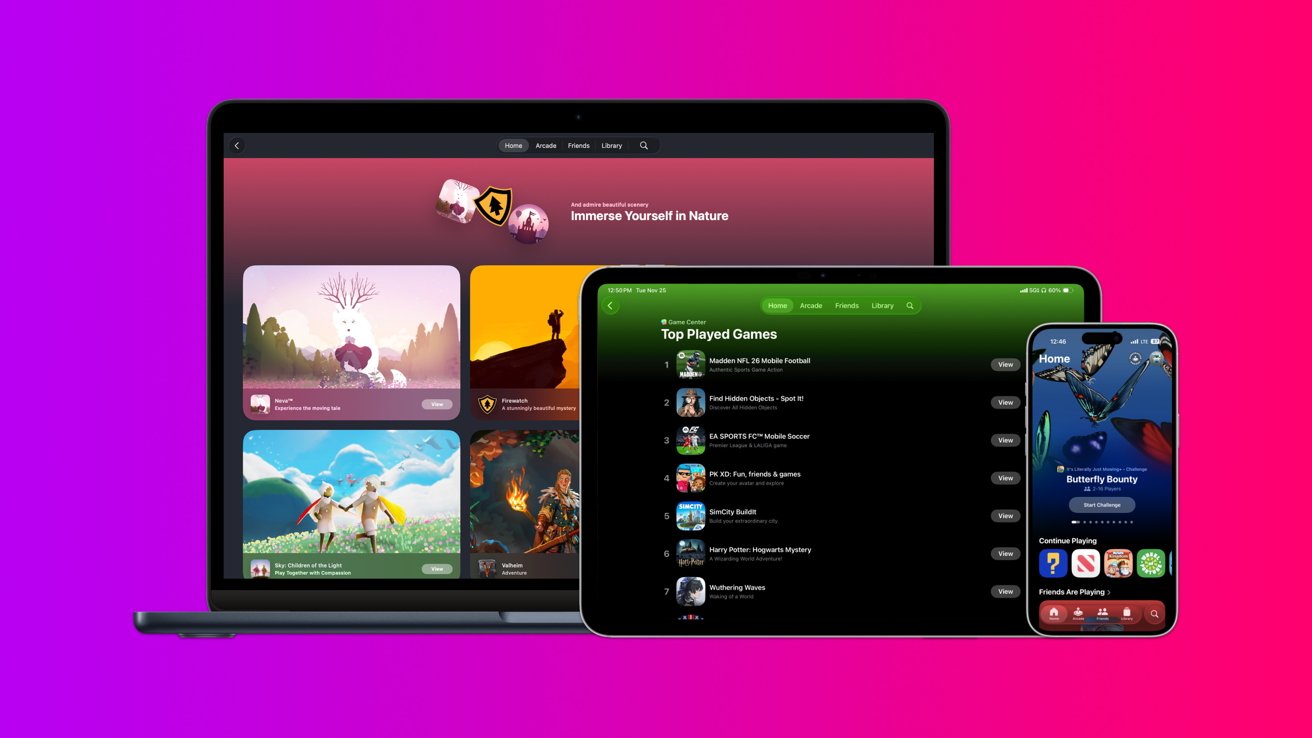
Apple has unified its gaming ecosystem through the Apple Games app and Game Center, allowing players to switch between iPhone, iPad, Mac, and Apple TV without losing progress. This system syncs saves, achievements, and friends lists via iCloud, turning multiple devices into a single, cohesive gaming platform. The key is using one consistent Apple ID across all hardware.
Setup is straightforward but requires recent OS versions, an internet connection, and Game Center enabled. The Apple Games app serves as the central hub, organizing your library, Arcade titles, and social features in a consistent interface. Game Center manages profiles and syncing automatically in the background, while Apple Arcade offers a subscription library where most games natively support cross-device play and cloud saves.
Multiplayer includes real-time and turn-based options, with SharePlay enabling collaborative play during FaceTime calls. Family Sharing extends Apple Arcade subscriptions and applies Screen Time restrictions like multiplayer blocks and download limits across all household devices. Bluetooth controllers from Xbox and PlayStation pair easily. For seamless play, ensure iCloud Drive is active and the same Apple ID is used everywhere. Once configured, the system removes friction from multi-device gaming.
Source: AppleInsider · Summarized by HeadlinesBriefing