
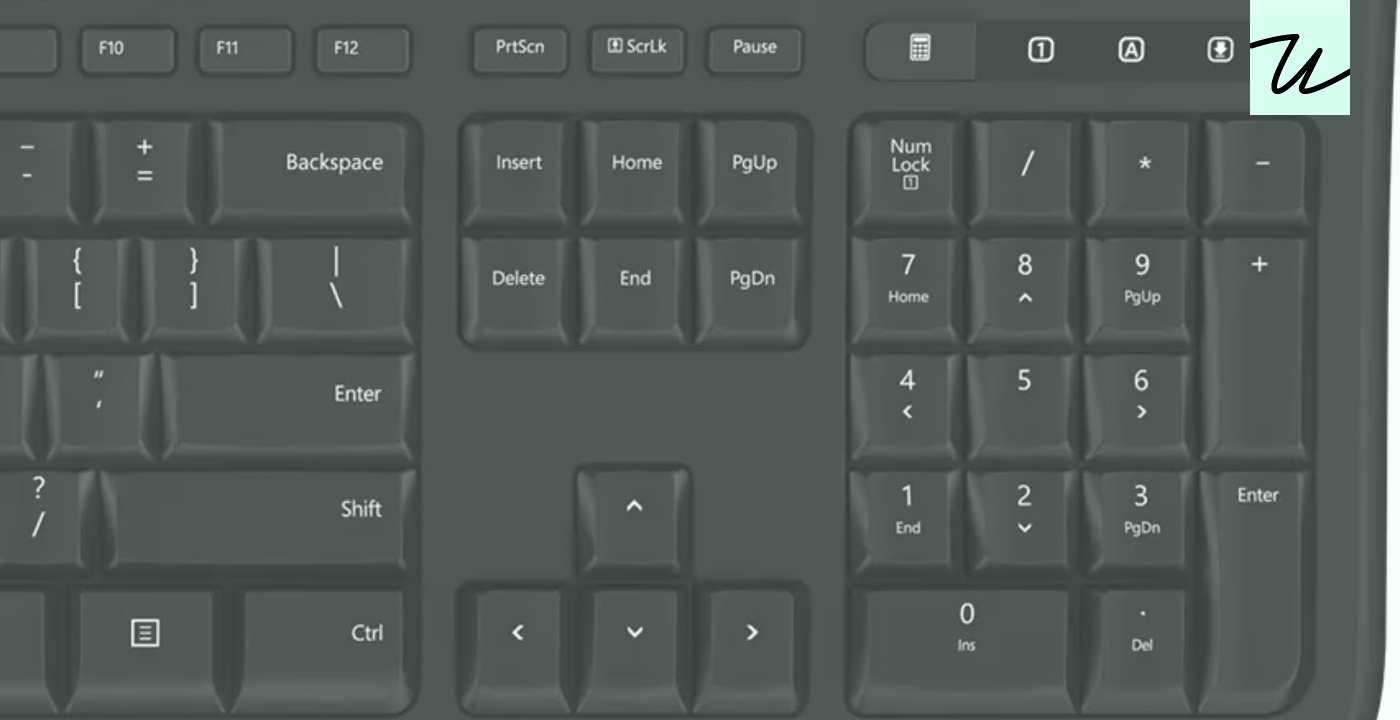
Over the years, I learned about many gotchas and strange differences between keyboard handling on Mac and Windows -- pertinent especially to web apps, which use the same codebase to cater to both. I thought it might be helpful to someone if I compile them all in one place. This post is meant to be a reference, and there aren't any cute or riveting stories hiding inside -- if this seems boring to you, feel free to skip to the next one!
Different names for keys: What Windows calls Backspace, Mac calls Delete. What Windows calls Delete, Macs call Forward Delete. This means saying "Delete" without specifying the platform might actually be confusing. What Windows calls Enter, Mac calls Return. However, Macs also have an Enter, although only on a numeric keypad. On keyboards without the physical Enter key, you can simulate it via Fn+Return. In most Mac software, Enter and Return do the same thing. There are a few exceptions -- for example, Photoshop adds a new line on Return but commits on Enter, and some classic pro apps like Cubase or Pro Tools do different things, too -- but it seems to be a dying tradition.
Windows customarily calls the secondary key Numpad Enter. I don't believe Fn+Enter works to simulate it. Generally, third-party keyboards use Windows verbiage -- so, Backspace and Enter. If a keyboard offers Mac conventions at all, they usually only extend to modifier keys.
Modifier keys: Control on Windows is the equivalent to Command on a Mac. But, confusingly, Apple devices still have a Control key, too. This was originally meant for terminal applications, but these days many GUI apps use it as an extra modifier key. This means that for apps, Windows devices offer Ctrl, Alt, and Shift -- and Macs offer Command, Option, Control, and Shift. That's one more modifier key, and thus more space to breathe.
Some keyboards offer extra key caps you can swap to match the platform, for example: Others cover all the bases on fixed key caps, in an awkward way: Many stick with Windows-only legends.
Words vs. symbols: Apple devices rely more on symbols on their keys and in their menus, although they don't do so consistently. Windows keyboards typically use words -- this is why in tight quarters you sometimes see shortenings like Ctrl, Bkspc, Prt Sc, Del, Pg Up, Win, and so on.
Source: Hacker News · Summarized by HeadlinesBriefing